Native Defender & WMI Auditing
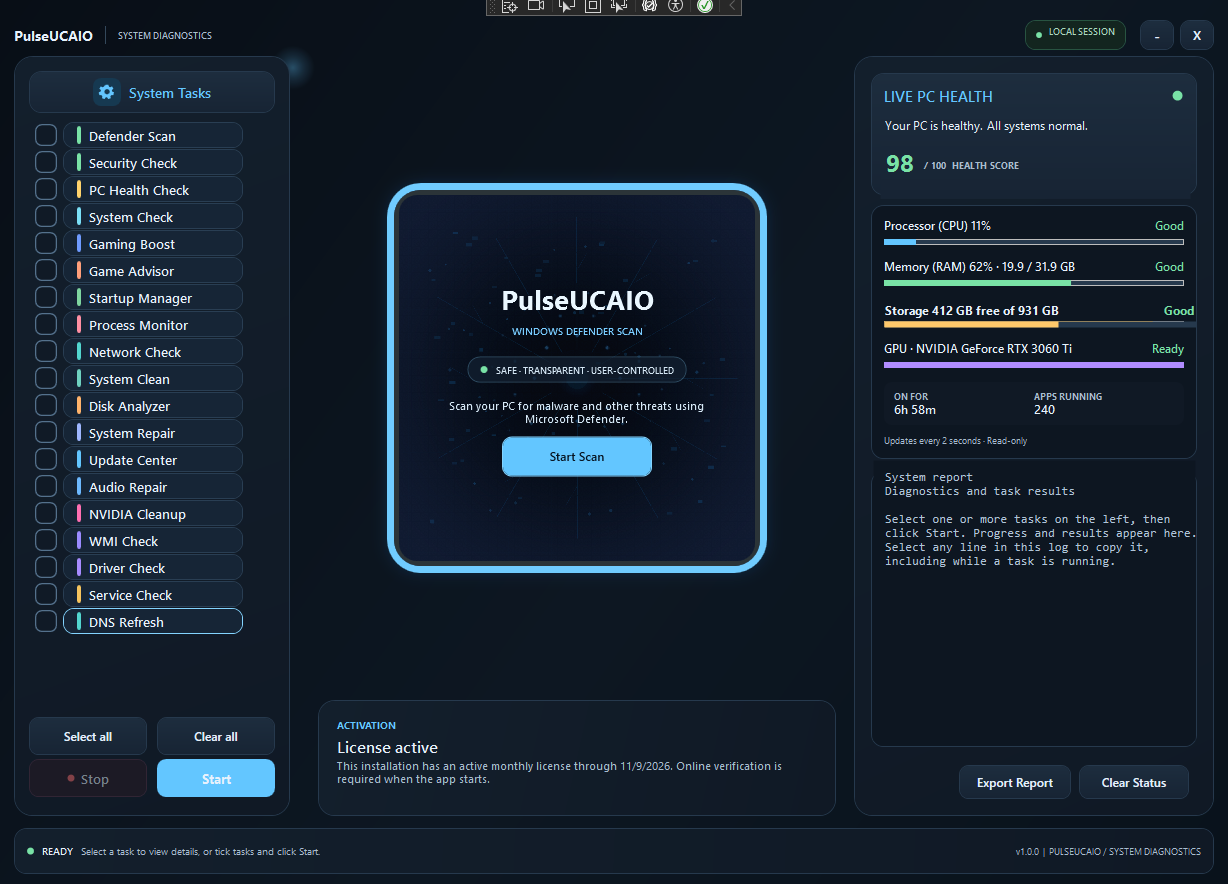
Orchestrates real Microsoft Defender quick and full scans via 64-bit PowerShell with live proof, signature validation, and WMI repository checks. No third-party antivirus engine is installed.
PulseUCAIO gives IT technicians, repair shops, and discerning PC owners a transparent Windows maintenance platform. Run native Microsoft Defender scans, perform deep NVIDIA driver cleanup in Safe Mode, audit hardware telemetry, inspect startup and WMI health, and export branded client reports — with zero third-party bloat or secret registry tweaks.
Traditional "PC boosters" make scary promises and break operating system files. PulseUCAIO uses native Microsoft tooling, previews every cleanup, requires explicit confirmation, and generates auditable reports that prove what was inspected and fixed.
Orchestrates real Microsoft Defender quick and full scans via 64-bit PowerShell with live proof, signature validation, and WMI repository checks. No third-party antivirus engine is installed.
Schedules Safe Mode reboot, removes leftover display driver-store packages, registry debris, and orphaned services, then resumes and guides fresh official installations to prevent freezes and glitches.
Generates professional, printable HTML diagnostic summaries complete with hardware specs, drive volumes, running processes, and verification hashes. Perfect for repair shops, technicians, and MSP invoices.
Pick the tasks you want, review what each one does, and run them when you are ready. Actions that change your system ask for confirmation first.
Download and run the single Setup executable. It installs PulseUCAIO for your Windows user, creates a Start Menu shortcut, and launches the app. Its dependencies are bundled inside Setup; you do not need to open a folder of DLL files.
Requires Windows 7 SP1 or later and .NET Framework 4.7.2. The in-app purchase page additionally requires Microsoft Edge WebView2 Evergreen Runtime. The free trial starts when you first open the app; a purchased key is bound to one installation.
Use PulseUCAIO free for seven days after first opening the app. When the trial ends, choose a plan and activate the key issued after your purchase is confirmed.
PayPal automatically delivers your license key to this page after payment is verified. If automatic delivery fails, email your receipt for manual key delivery. Cash App payments require manual confirmation and key delivery.
Choose an individual endpoint term, repair technician license, or lifetime pro seat. Every license includes full diagnostic capabilities and report generation.
Pro Endpoint (30-Day)
$7.99
USD · 30 days · one-time
Single-machine comprehensive maintenance, real Defender scans, and branded audit report exports.
Quarterly Maintenance (90-Day)
$19.99
USD / 3 months · one-time
Ideal for scheduled quarterly endpoint checkups and safe driver sanitization passes.
Technician Semi-Annual (180-Day)
$34.99
USD / 6 months · one-time
6 months of full diagnostic access for independent IT contractors, repair desks, and technicians.
Lifetime Commercial License
$99
USD · Lifetime · one-time
Single-payment lifetime ownership. Unlimited reports, zero recurring fees, priority support.
Cash App payments are one-time and require manual payment confirmation before key delivery. Each key is bound to one installation.
All prices are in USD and are one-time payments; there is no automatic renewal. Each license key is bound to one installation. Cash App purchases require manual payment confirmation and key delivery. Access terms begin when the key is issued; lifetime access does not expire.